
An event registration form is a core tool when you need to collect attendee details in advance. A well-designed event registration form streamlines admin work, improves the attendee experience, and ensures you gather the right information for the right purpose—whether you’re organizing an event, training, webinar, or customer session. In other words, it’s a key part of a smooth event management registration process.
What is an event registration form?
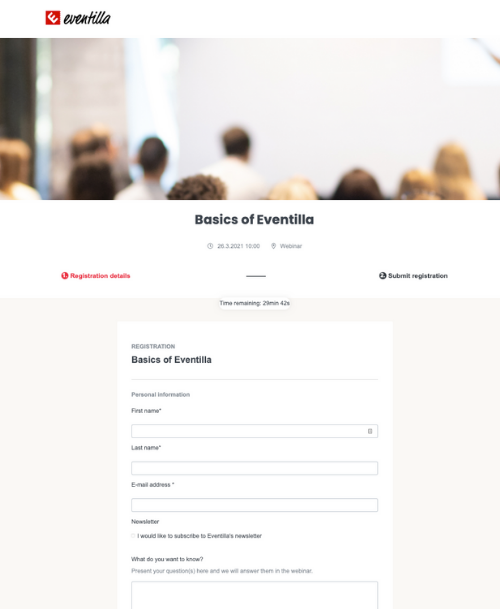
An event registration form is a digital form used to collect participant information in advance for an event, training, or webinar. A digital registration form for event automates data collection, reduces errors, and enables smooth attendee communication before and after the event.
Event registration forms are widely used for live events, trainings, courses, webinars, and corporate gatherings. Careful planning is important, because the registration form is often the participant’s first touchpoint with your event and your brand.
When do you need a registration form for an event?
- Event registration form for live events
- Registration form for training sessions or courses
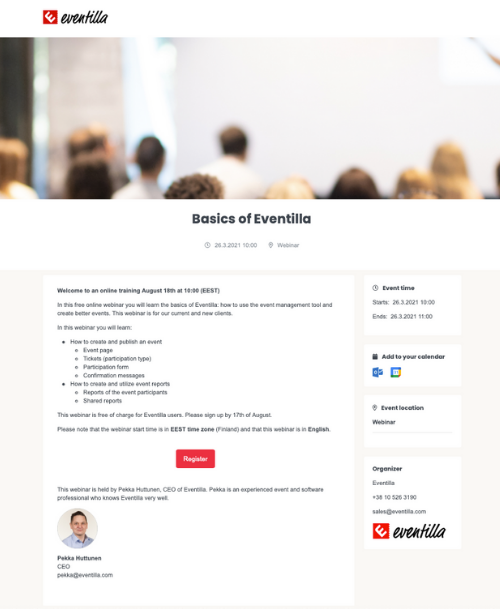
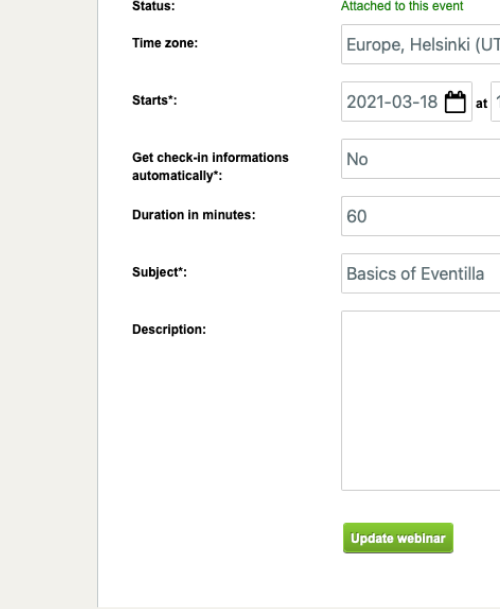
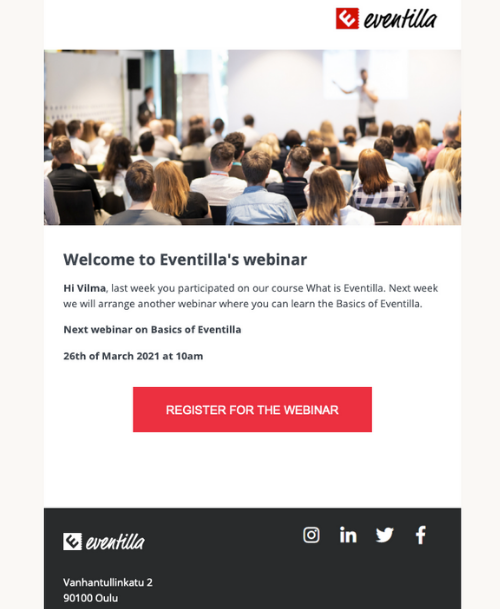
- Registration form for webinars
- Registration form for customer events
- Registration form for internal company events
Table of contents
1. Where to start when building an event registration form?
- Make the registration form match your brand
- Start with required fields
- Add helpful extra questions
- Ask about special requirements (in a respectful way)
- Keep the event registration form short
2. GDPR and privacy on the event registration form
3. Do you need marketing consent?
1. Where to start when building an event registration form?
Building an event registration form is an essential part of event planning. Design the form based on the event’s purpose: some events only require basic contact details, while marketing-driven events often need different questions. An event registration form is also a great place to collect insights you can use for new customer acquisition and nurturing existing relationships. Registration data can help you market future events too—when you understand a participant’s interests, you can tailor your message to what they actually care about.
Make the registration form match your brand
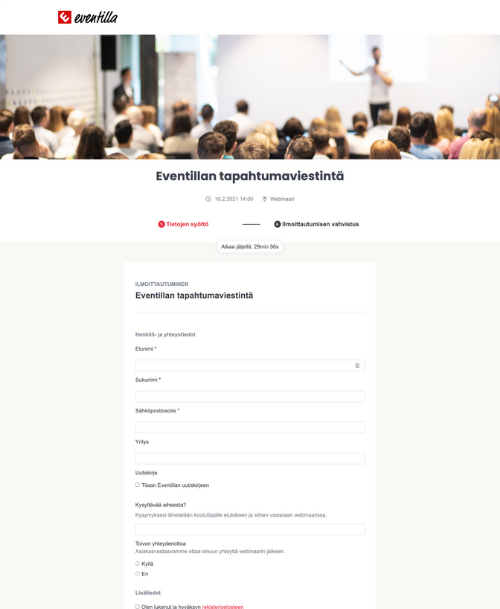
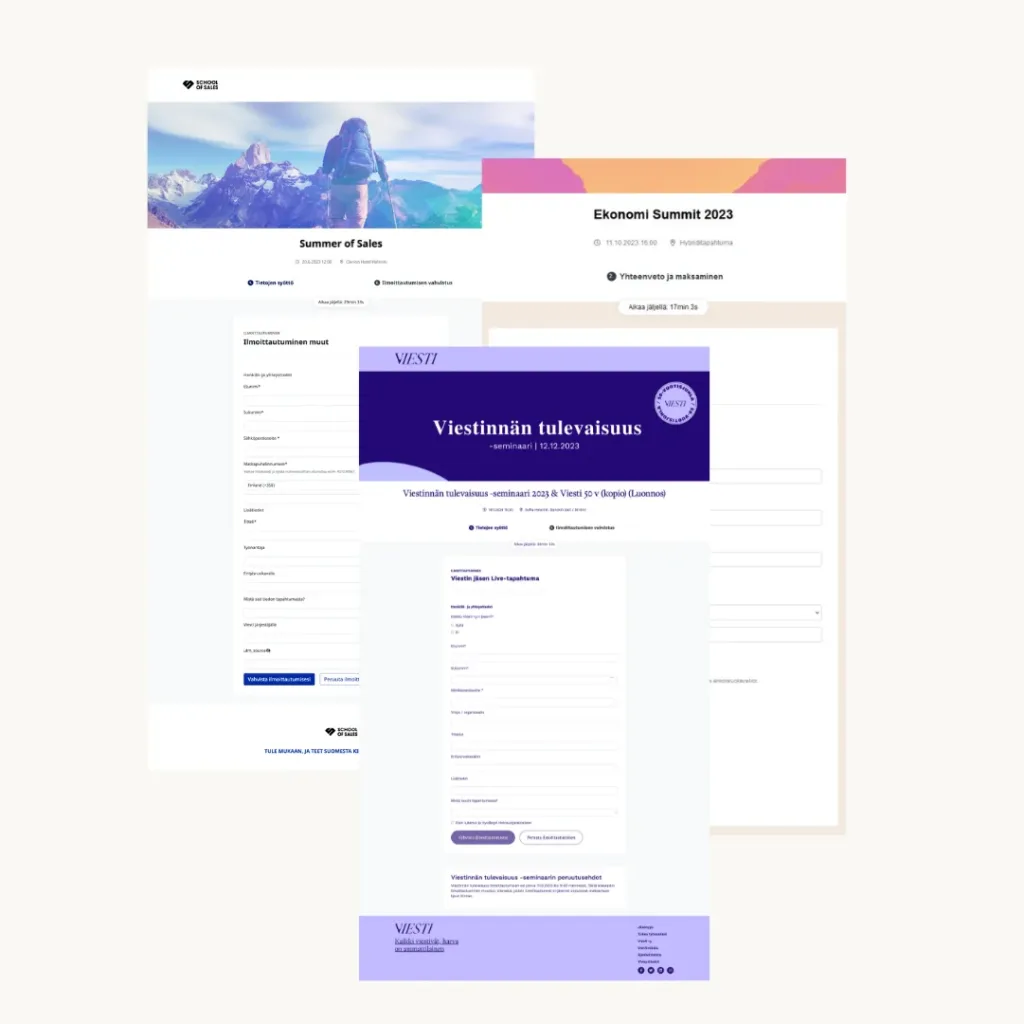
Choose registration form software that supports a fully branded event registration form. A registration page that follows your event’s visual identity looks professional and builds trust. Since you’re asking for personal data, participants are also alert to scams—so make sure your event registration form looks trustworthy from the very first glance.
Start with required fields
Start your event registration form with the required fields. Make sure your registration form software allows you to set fields as mandatory based on your needs. Name and email are typically essential so your event communications reach participants. For paid events, you may also need billing details. Use validated fields to ensure data is entered in the correct format and is easy to use later.
Read more about event communications and marketing here.
Add helpful extra questions
Once the required fields are in place, consider what else would be useful to know. In corporate events, the participant’s company and job title can help you tailor content and follow-up. If you serve food at a live event, remember to ask about dietary requirements. If your event supports sales, it can make sense to map interest in the products or topics featured in the event.
Ideas for your event registration form:
- Is improving your event management process a priority right now?
- Are you already our customer?
- Is this your first time attending our events?
- What types of events would you like to attend in the future?
- What topics would you like us to cover?
- Would you like us to contact you after the event?
If possible, use the registration data beyond the event tool—for example, transfer relevant contacts to your CRM and only push true sales leads (such as participants who aren’t already customers). Extra fields can also support segmentation and smarter follow-up as part of your event management registration process.
Ask about special requirements (in a respectful way)
Understanding accessibility needs can feel sensitive, but it’s important for making participation smooth for everyone. A practical approach is to add an optional open text field at the end of the form—such as “Message to the organizer”—so participants can share relevant needs in their own words instead of choosing from a rigid list.
Keep the event registration form short
After brainstorming all possible questions, trim your event registration form to only what matters. The form should never be so long that people abandon it. Testing helps: if the form is clear and the questions are easy, you can try making more fields mandatory. However, avoid making open-ended questions required—participants may stop registering if they can’t quickly think of an answer.
2. GDPR and privacy on the event registration form
Remember that the data collected on an event registration form is personal data. Don’t collect information “just in case.” Under GDPR, participants must understand how their data will be used. In practice, your registration form should include a clear privacy notice link and, when necessary, require participants to confirm they have read it.
3. Do you need marketing consent?
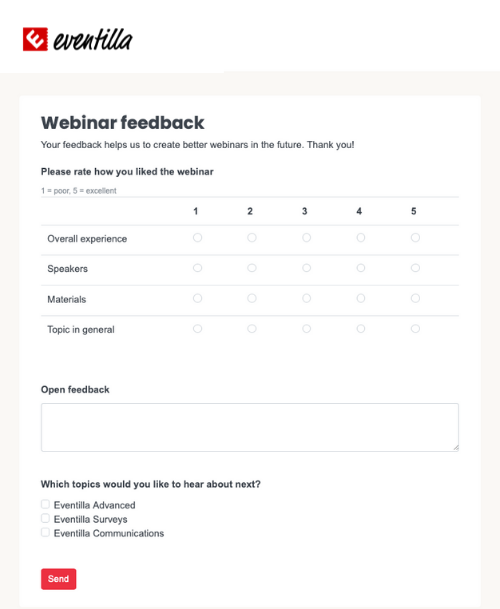
In addition to privacy information, consider whether you need marketing consent. You should ask for marketing consent if you plan to use participant data for marketing purposes. For event-related communications (confirmations, reminders, practical instructions) and sending a feedback survey, marketing consent is typically not required.
When building a registration form for event, keep clarity and usability in mind. Make sure the form works well on mobile devices and that options are easy to understand. Also consider whether participants should be able to edit their details later or cancel their registration on their own—this can significantly reduce manual work for organizers.

Create your next event registration form with Eventilla
Frequently asked questions about event registration forms
- What information should an event registration form include? Start with only the essentials (typically name and email). Add extra fields only if they clearly support your event management registration process—for example company and job title (B2B events), dietary requirements (catering), or topic interests (content planning and follow-up).
- How long should a registration form for an event be? Keep your registration form for event as short as possible. More fields usually means more drop-offs. Make only truly necessary fields required, and avoid forcing open-ended answers—people may abandon the form if it takes too long to complete.
- Do I need GDPR consent on an event registration form? You’re collecting personal data, so participants must be informed about how their data is used. In practice, add a clear privacy notice link. If required in your case, include a mandatory checkbox confirming the participant has read the privacy information before submitting the event registration form.
- When do I need marketing consent? Ask for marketing consent if you plan to use registration data for marketing beyond the event (e.g., newsletters or promoting future events). For operational messages such as confirmations, reminders, instructions, and feedback surveys, marketing consent is typically not needed.
- Should I use registration form software instead of a basic form tool? If you run events regularly, registration form software can save time by automating confirmations, reminders, attendee lists, and data exports. It also helps standardize your event management registration process and reduces manual admin work.
- Can attendees edit details or cancel their registration? Ideally yes. Allowing edits or self-service cancellations improves the attendee experience and reduces support requests. It also helps keep your attendee data accurate throughout the event management registration process.
About the author
Kirjoittajasta